
Honeywell RSS
Setup
- Login to My Base and the select the site you wish to connect to.
- Click on start UDL, the below details will be displayed.

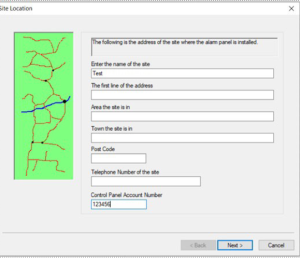
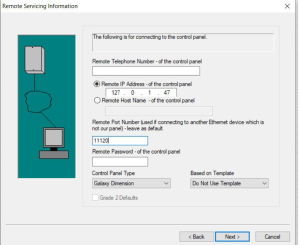
- Open RSS and Select new site, transfer the IP and Port number details into RSS, use ARCConnection ID as account number for reference. Press next the relevant parts, See below.
- Once site saved, open and go to connect setup, set as per below.
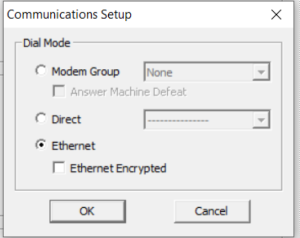
- Press connect, use as normal.








