


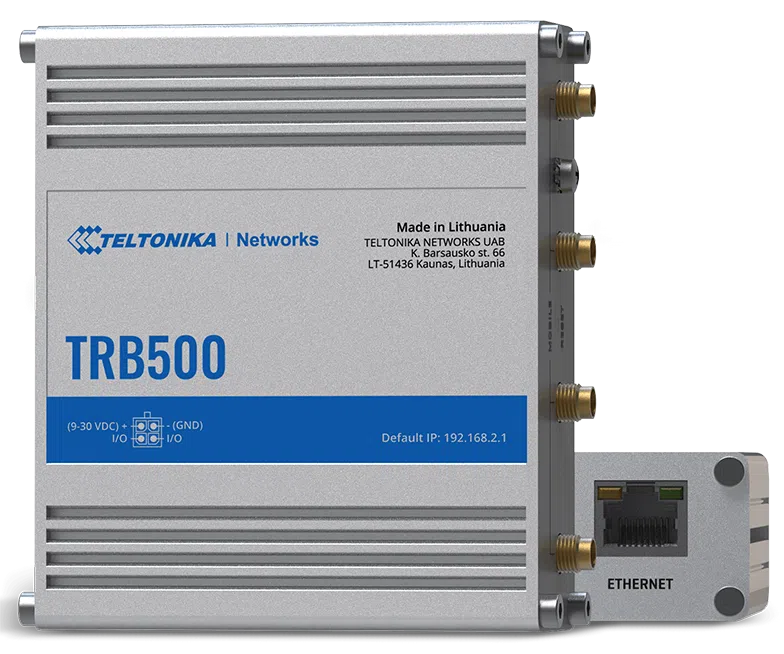

Quick Guide
Teltonika Networks
AnyConnect
Configure your computer LAN (Windows)
1. Ensure the Network connection is Enabled. Go to Start — Control Panel — Network and Internet — Network and Sharing Centre. Click on the Change adapter settings in the left panel, then right-click on Network Adapter, and select Enable.

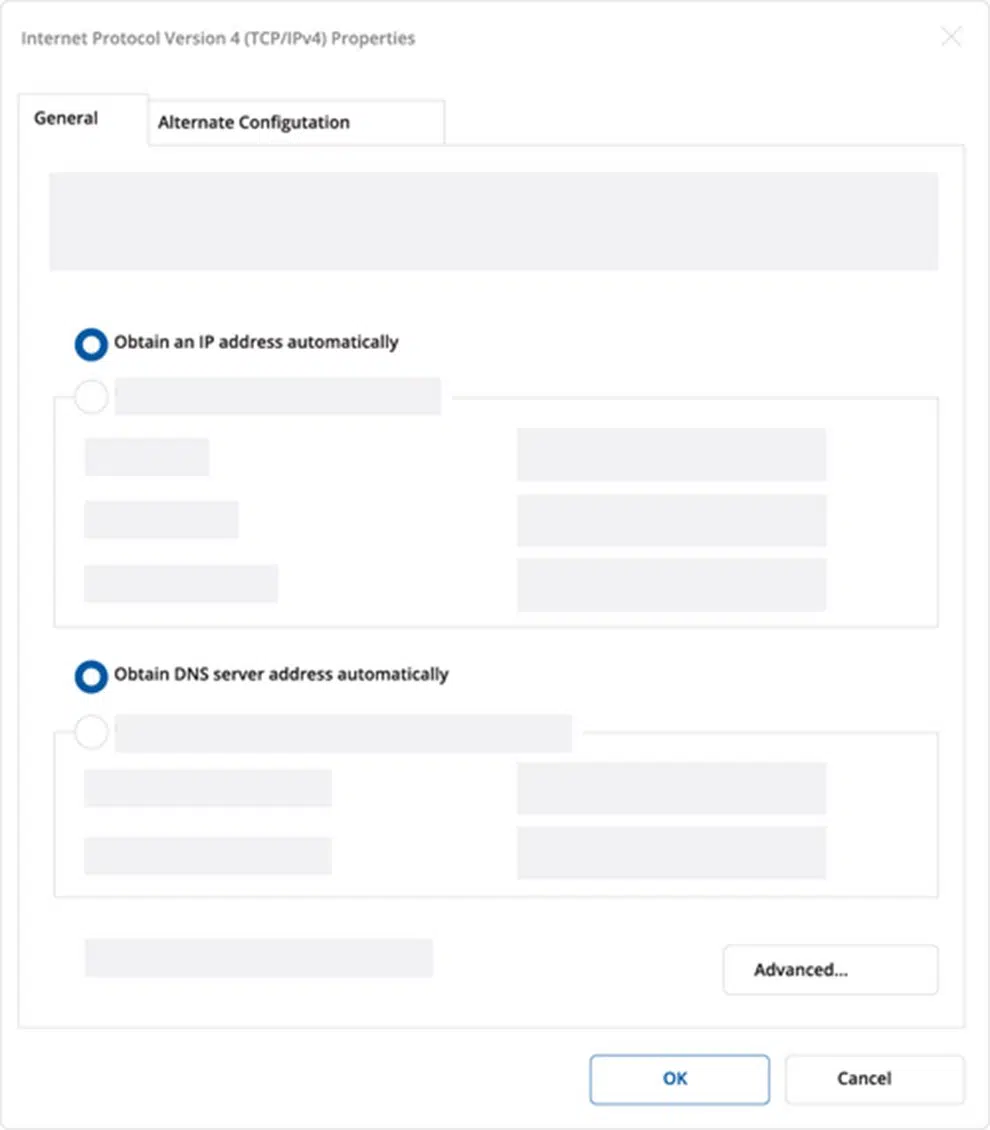
2. Check if IP and DNS are obtained automatically. Right-click on Wireless Network Adapter and select Properties. Then select Internet Protocol Version 4 and click Properties.
3. If not selected, check to obtain an IP address and obtain DNS server address automatically. Click OK.
1. To enter the gateway’s Web interface (WebUI), type http://192.168.2.1 into the URL field of your Internet browser.
2. When prompted for authentication enter the username admin and enter the password located on the device information label/engraving.
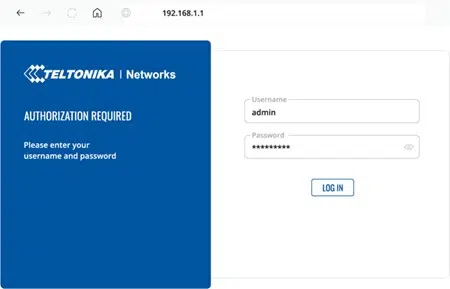
3. After logging in, you must set a new password for security reasons. You will not be able to interact with the gateway’s WebUI until the default password is changed. The new password must consist of a minimum of 8 characters. Requirements: one uppercase letter, one lowercase letter, and one digit.
4. Next, the Configuration Wizard will start to help you set up some of the gateway’s main operational parameters.
5. Finally, let’s verify the Mobile signal strength. Go to the Status — Network page and pay attention to the Signal Strength indication.

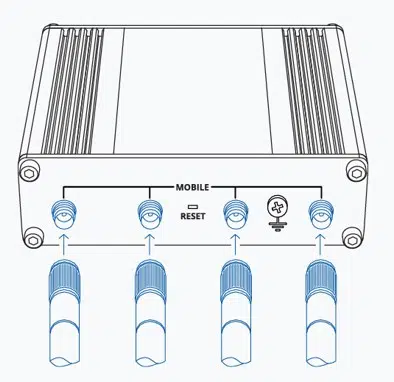
To achieve the best signal conditions and maximize cellular performance, try adjusting the antennas or changing the location of your device. You can find information on signal strength recommendations here.
Technical Specifications
| Mobile module | 5G Sub-6Ghz SA/NSA 2.1/3.3Gbps DL (4×4 MIMO), 900/600 Mbps UL (2×2); 4G (LTE) – LTE Cat 20 2.0Gbps DL, 200Mbps UL; 3G – 42 Mbps DL, 5.76Mbps UL |
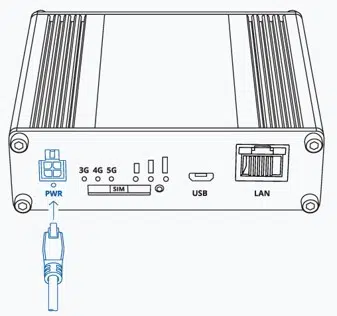
| Power Connector | 4-pin industrial DC power socket |
| Input voltage range | 9 – 30 VDC, reverse polarity protection, surge protection +/-1 kV 50 μs max |
| Ethernet | 1 x RJ45 port, 10/100/1000 Mbps |
| I/O’s | 2 x Configurable I/O pins on 4-pin power connector |
| Status LEDs | 3 x connection type status LEDs, 3 x connection strength LEDs, 2 x LAN status LEDs, 1 x Power LED |
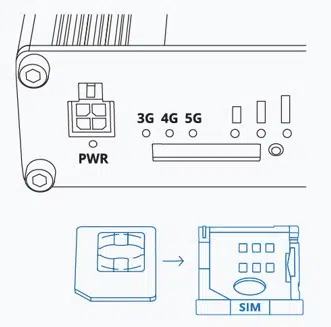
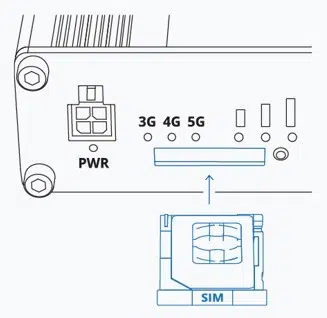
| SIM | 1 x SIM slot (Mini SIM – 2FF), 1.8 V/3 V |
| Antennas | 4 x SMA for Mobile |
| Dimensions (W x H x D) | 100 x 30 x 93.4 mm |
| Weight | 241g |
| Mounting options | DIN rail, Flat surface |
| Operating temperature | -40 °C to 75 °C |
| Ingress Protection Rating | IP30 |
Front View
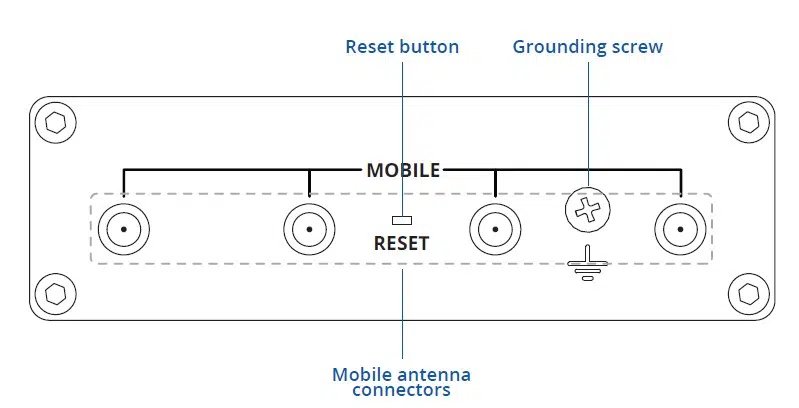
Back View

Power Socket Pinout








