
Panel Guide
Inim Smartloop – RS232
Panel Connection – RS232
|
Manufacturer |
Inim |
|
Model |
Smartloop |
|
Minimum Panel Firmware
|
V1.0.4 |
|
Cable required? |
Unterminated serial cable with 9 Way D-Type IDC socket |
|
Panel Profile |
INIM-SMARTLOOP-RS232 |
|
Panel Bus Connection |
RS232 |
|
Technical Notes |
If an EN54-compliant installation is required, please also follow the instructions in the DualCom Pro 2 Fire EN54 Variant Quick Guide. |
Panel Connection Information
|
Connection |
Panel |
|
RS232-T |
9 Way D-Type Pin 2 |
|
RS232-R |
9 Way D-Type Pin 3 |
|
RTN |
9 Way D-Type Pin 5 |
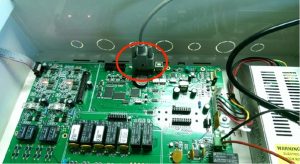
Panel Programming
- Default panel code = 00004
- Press the ‘ESC’ button to display Menu
- Navigate to Printer settings (the 8 button)
- Within these settings select printer set up (the 2 button)
- Select ‘Log on Serial’ as printer type
- Press the ‘Return’ symbol button
- Press ‘ESC’ until the panel resets







